How do I change my card or direct debit?
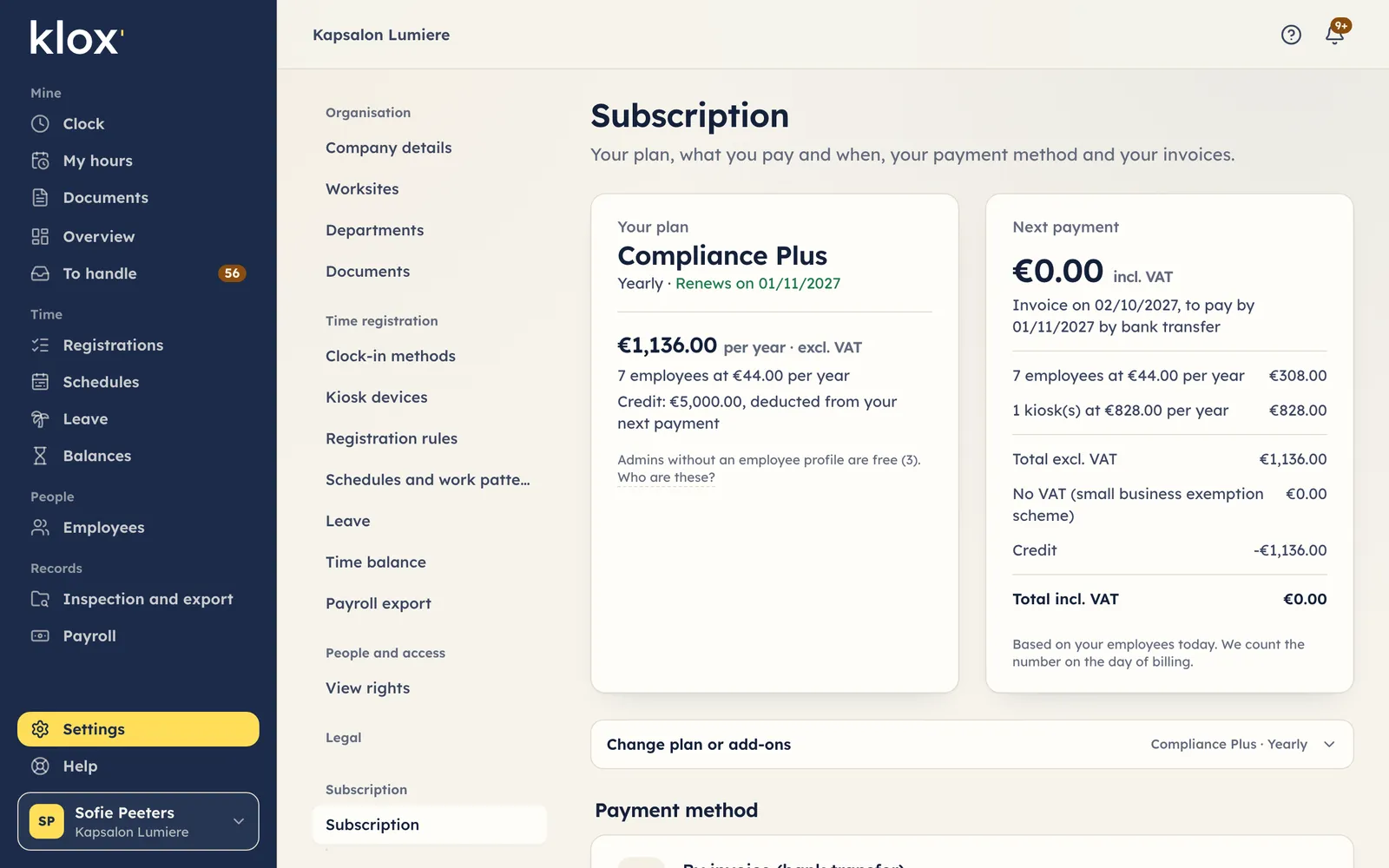
As the owner, go to Settings, Subscription, and click Change payment method under Payment method. You get the 1 euro confirmation back.
Subscription and invoices · Updated on 01/11/2026
Only the owner can do this, in the web app. Your email address must be confirmed.
Changing your payment method
- Go to Settings, Subscription.
- Under Payment method, click Change payment method. If no method is set yet, the button is called Set up payment method.
- Choose Card or Direct debit.
- Complete the confirmation at Mollie, our payment partner. You pay 1 euro there, which you get back.
- You return to Klox. If a message says your new payment method is being processed, refresh the page after a minute.
Card or direct debit?
- Card: Visa, Mastercard or American Express.
- Direct debit: you confirm once with Bancontact, then payments run through SEPA. You get an email with the amount 14 days in advance.
If your card expires within 31 days, Klox warns you by email and in the app.
If it does not work
- A payment failed: set up a new payment method. Klox then retries the payment immediately. If your access was closed, it reopens as soon as the payment succeeds.
- You do not see the button during your trial: you then set up your payment method through Activate subscription.
- You do not see the button after cancelling: there is no button for a cancelled subscription or for payment by invoice.
- The page still shows the old method: wait a minute and refresh. If that does not help, send us a ticket.
Paying by invoice
If you pay yearly, you can choose Request pay by invoice. First fill in your full billing address under Billing details. Klox decides on your request and lets you know by email. As long as no decision has been made, you can take it back with Withdraw request.
If it is approved, you receive your invoice 30 days before renewal. The account number and payment reference are under Payment details. You cannot switch back to card or direct debit yourself: ask us through a ticket.
You can find your invoices in Where do I find my invoices?
Was this article helpful?