Which plan suits my company?
Compliance covers clocking, the register and the inspection file. Compliance Plus adds schedules, leave, time balance, payroll export, view rights and chat.
Subscription and invoices · Updated on 01/11/2026
Both plans record working time in the same way. The difference is what you need around it. The amounts are on the pricing page.
What each plan includes
- Compliance: clocking through the web app, the app and QR code, also offline, traced corrections, the inspection file as PDF and CSV, custom exports, the clause for your work rules and tickets with the Klox team.
- Compliance Plus: everything in Compliance, plus schedules, time balance, leave management, the export for your payroll provider, the org chart with view rights per department and chat with the Klox team.
Extra worksites and the Klox Kiosk are add-ons you take per unit on either plan.
Need schedules, leave or a payroll export? Take Plus. Mainly want clocking and a file that is ready? Compliance is enough. If your company is on Compliance, More with Plus shows what you can add.
What you pay
- You pay per employee, with a minimum amount per period.
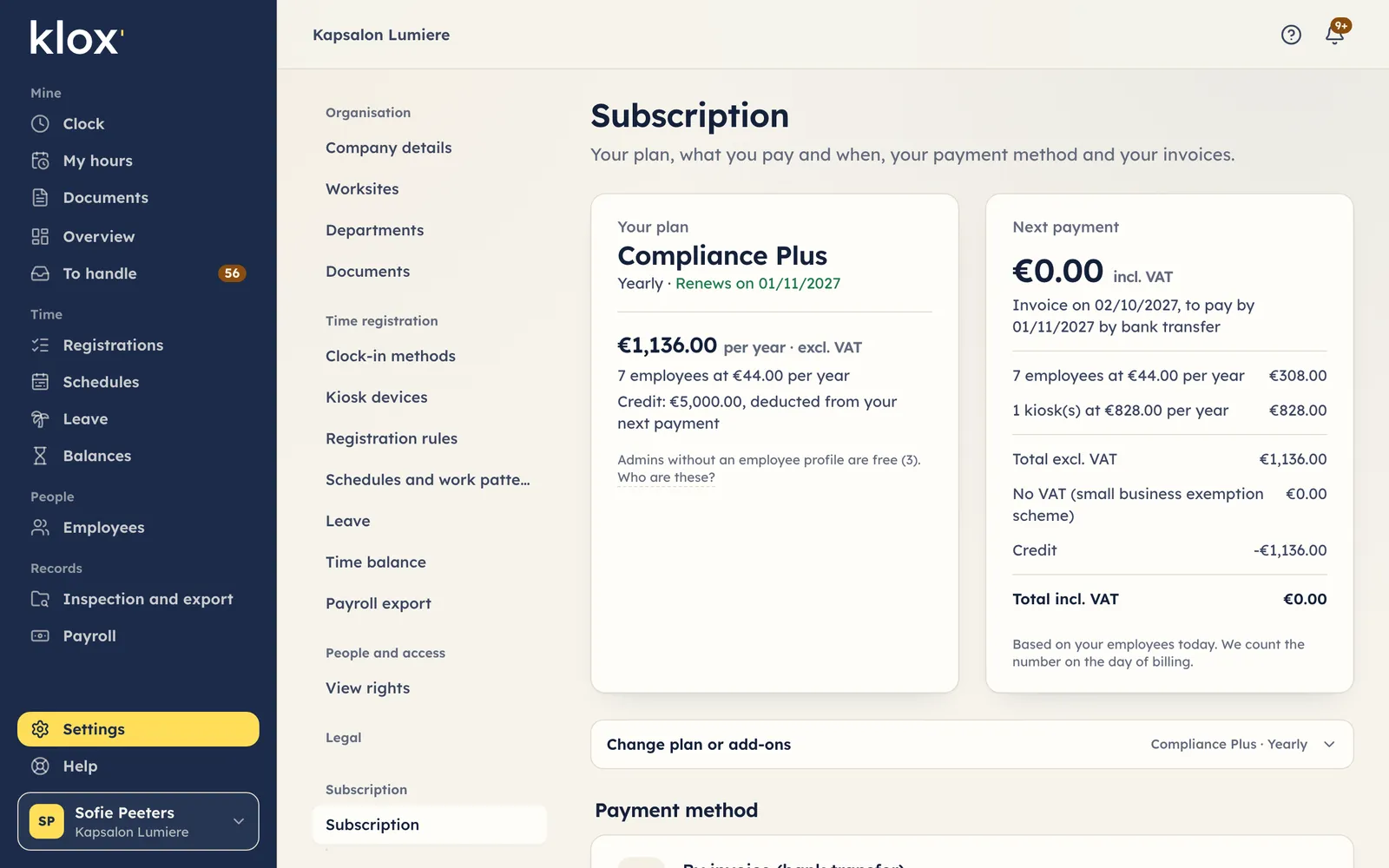
- Admins without an employee profile are free.
- Klox counts your employees on the day of billing.
- If you pay yearly, you get about 2 months free.
Switching plans
Only the owner can do this. HR can look, but cannot change anything.
- Go to Settings, Subscription.
- Open Change plan or add-ons.
- Choose Monthly or Yearly, then the plan.
- If your subscription is running, you first see the cost and the start date. Confirm with Yes, change my subscription.
When does it take effect?
- During your trial: immediately, at no cost.
- To Compliance Plus: immediately. Nothing is charged now. The difference for the current period is added pro rata to your next payment.
- Back to Compliance: at your next period, through Schedule downgrade. Until then you keep the Plus features, and your data stays stored.
- From monthly to yearly or back: at your next period.
Changed your mind? Undo a scheduled change with Cancel change.
Want to leave rather than switch? Read How do I cancel my subscription?
Was this article helpful?