Five ways to clock in
Every method records the same thing: who, when they started, when they stopped, and the breaks in between. The difference lies in what you have to buy and manage, and in how easily someone can falsify a time or clock in for a colleague.
| Method | What you need | Management | Fraud risk | Suits |
|---|---|---|---|---|
| Browser on a PC or laptop | Nothing extra: the computer people already work on | Low: create accounts and close them when someone leaves | Low with a personal login. Higher if colleagues share a password | Office work |
| Own smartphone (browser or app) | The employee's phone | Low: no devices of your own to manage | Low: people rarely hand over a personal device | Shop floor, on the road, several locations |
| Shared tablet at the entrance | A tablet, a holder and power | Medium: charging, updating and securing the device | Medium: whoever stands at the tablet can tap for someone else if there is no personal identification | One fixed entrance, staff without their own phone at work |
| Hardware time clock | A clock device, installation and cards | High: device, cards, reading out or linking the data | Medium: a card can be passed on | Large fixed teams at one site |
| Badge or NFC card at a reader | A reader or terminal, badges | Medium to high: handing out badges, blocking them when lost | Medium: a badge can be lent out too | Workplaces with a fixed entrance |
Two remarks on fraud risk. With any method, the time itself is only reliable if it does not come from a clock the employee can change: a system that takes the time from the server is stronger here than a device that uses its own clock. And if you want to rule out fraud with a fingerprint or facial recognition, you enter a separate privacy regime (see below).
A separate cost is the time you lose as a business owner on putting things right: a forgotten clock-out, a badge left at home, a list that does not match the schedule. That depends less on the method than on how quickly a system makes those gaps visible.
What the rules say about the method
In 2019 the Court of Justice ruled that member states must require employers to set up an objective, reliable and accessible system that records the daily working time of each worker.[1] What that system looks like is left to the member states, which may take into account the sector and the size of the business.[1] So the judgment does not prescribe a time clock, badge or app, and it does not translate "objective", "reliable" and "accessible" into technical requirements.
Belgium today has no general obligation to record the working time of every employee. The obligation does exist for a number of arrangements, such as flexible working hours (glijdende uurroosters), deviations for part-time workers, flexi-jobs and student work.[2] The government has announced it will comply with the European case law by 1/1/2027 at the latest.[2] That is an announcement, not a published law: which methods will be allowed is not yet stated in any official text. More on this in is time registration mandatory in 2027?
Where an existing arrangement does say something about the method
- Part-time workers. If you opt for a time tracking system, it records for each day the start and end of the work and of the rest breaks at the moment they start or end.[3] Filling it in afterwards does not fit with that.
- Flexi-jobs. The National Social Security Office (RSZ/ONSS) lists as ways of registering attendance, among others, the registered cash register system, the alternative attendance registration system (ASA) linked to Dimona, the electronic time tracking system you also use for part-time workers, or a daily Dimona with start and end time.[4]
- Badges. If you also use an access badge to record arrival and departure, you must inform your employees about it.[5]
- Fingerprint or face. Biometric data is a special category. In an employment relationship, the employee's consent is not a valid basis, because there is a relationship of authority; a clear legal basis is needed.[6]
What the rule says
What Klox does
What Klox offers today, method by method
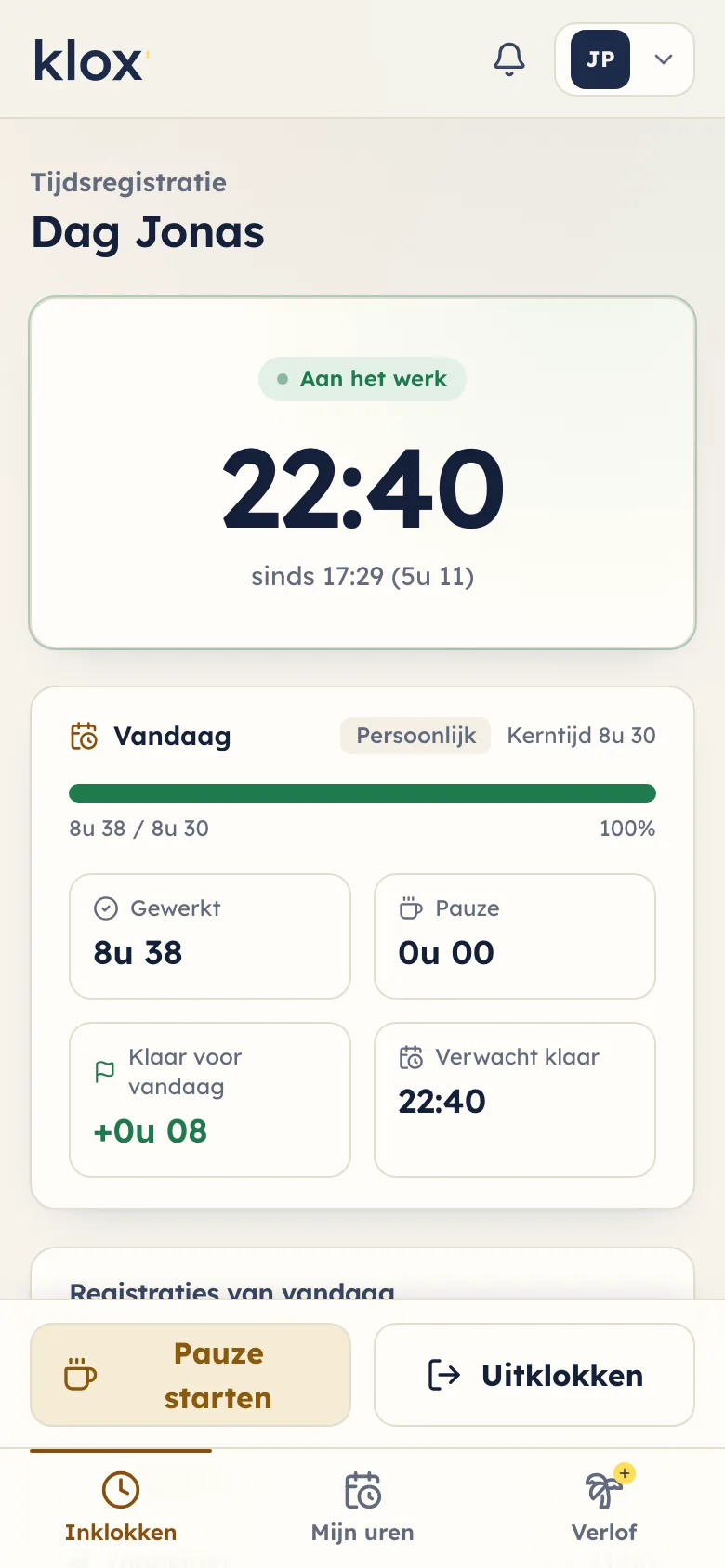
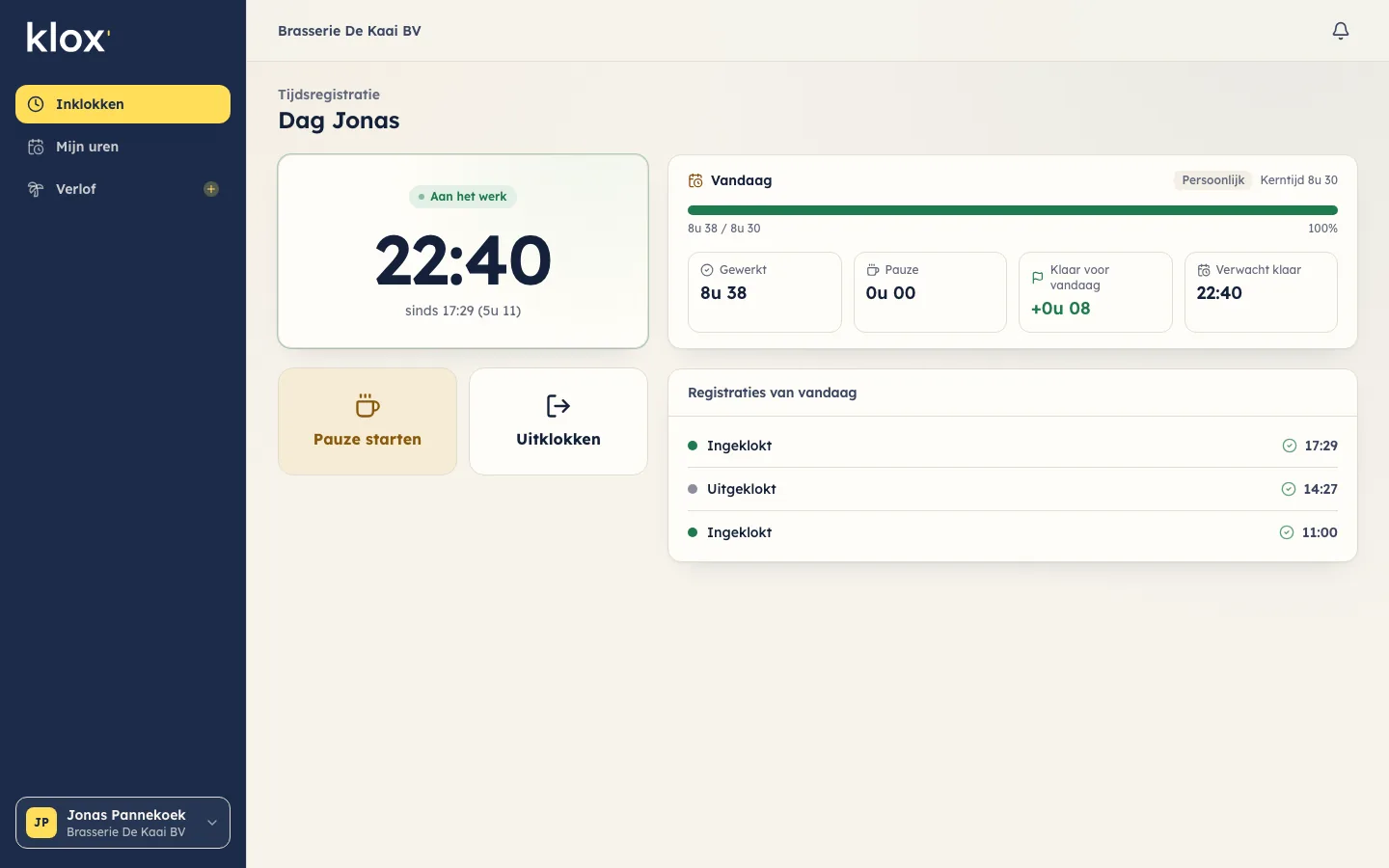
Klox works in the browser and as an app. Your employees clock in in the browser on their phone, tablet or computer, or with the Klox app from the App Store or Google Play, which you turn on yourself under clock methods. You do not need to buy any hardware.
| Method | In Klox | Notes |
|---|---|---|
| Browser on a PC or laptop | Available | Log in and clock in from any recent browser. |
| Smartphone through the browser (PWA) | Available | Can be added to the home screen. Also works offline (see below). |
| Native app for iOS | Available | In the App Store. Not needed to use Klox. |
| Native app for Android | Available | On Google Play. Not needed to use Klox. |
| Shared tablet | Limited | A tablet works as an ordinary browser, but each employee then has to log in and out. A shared clock-in point for a whole team is the Klox Kiosk. |
| QR poster per site | Available | When clocking in, the employee scans the site's code: proof that they were there, without GPS. |
| NFC badge at the Klox Kiosk | Available | Ordered per device. Badge or own PIN. Keeps clocking without a network. |
| Hardware time clock from another supplier | Not available | Klox does not connect to clock devices today. |
| Fingerprint or facial recognition | Not available | Klox does not offer biometrics. |
Clocking in without a signal
If the connection drops, in a basement, on a building site or at the back of the shop, the web app stores the clock action on the device with the time of the tap and sends it as soon as there is a connection again. Such an entry is labelled "offline", in the daily register and in the export. By default Klox accepts offline clock actions up to 24 hours old; you can change that limit or switch off offline clocking. An older offline clock action is refused and goes through a correction with a reason.
Time clock or app: which should you choose?
The question is usually not which technology is best, but where your people work and whether they have their own phone to hand. Three options side by side, on the points that make the difference for an SME:
| Traditional time clock or badge terminal | App in the browser on a phone or computer | Kiosk at the entrance (NFC terminal) | |
|---|---|---|---|
| One-time cost | Device, installation, badges or cards | None: the device is already there | Device and badges, or a lease without a one-time amount |
| Recurring cost | Often software or maintenance | Subscription per employee | Subscription, plus maintenance or lease per device |
| Where people clock in | Only at the device | Anywhere, optionally with a QR code as proof of presence at the site | Only at the device |
| Staff who do not use a phone at work | No problem | A shared computer with a personal login | No problem |
| Lending or clocking for someone else | A card or badge can be passed on | Less likely with a personal device | A badge or PIN can be passed on |
| Several sites | One device per entrance | No extra devices | One device per entrance |
Our rule of thumb: start with the phone or computer that is already there. Choose a fixed clock-in point if many of your people do not carry a phone at work (production, kitchen, building site), or if you want clocking in to happen at one fixed place. A time clock or badge is not mandatory: the Court of Justice does not prescribe a device.[1] For part-time workers, even a traditional mechanical time clock is not ruled out as a time tracking system, as long as the system records at the moment itself.[3]
What a fixed clock-in point costs with Klox
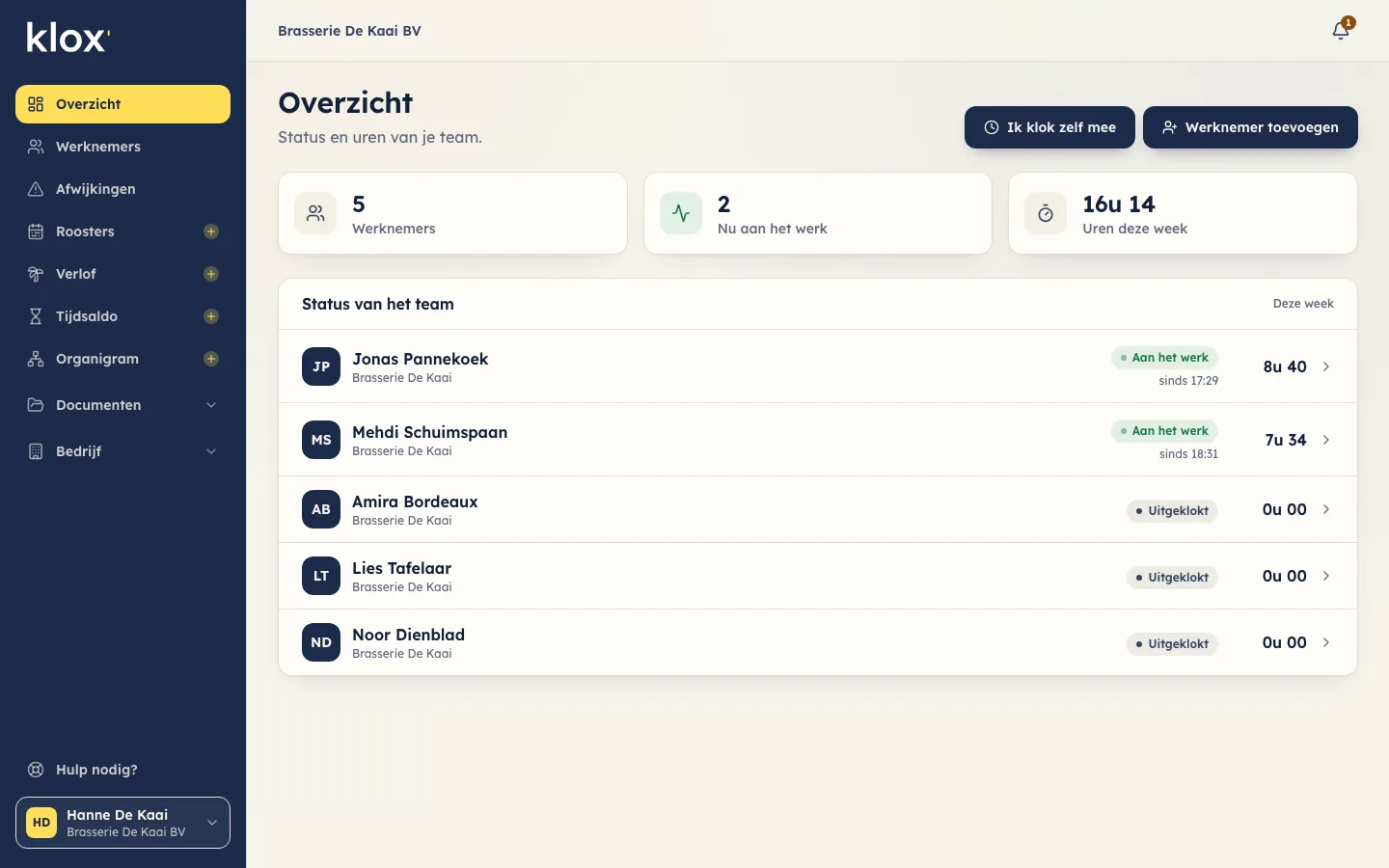
The subscription covers clocking in through the browser, in the app and with the site's QR code. The Klox Kiosk is an NFC clock-in terminal for the entrance: clock in with a badge or with your own PIN, and it keeps clocking without a network. Ordered per device and ready to ship.
| Option | One-time | Per month | Total after 36 months |
|---|---|---|---|
| Purchase | €699.00 | €45.00 | €2319.00 |
| Lease (36 months) | €0.00 | €69.00 | €2484.00 |
What the subscription costs for 5, 12 or 20 employees is worked out in how much does time registration cost for an SME? You can order a kiosk through the contact page.
Example: which method for which team?
Three fictional Belgian SMEs, each with a different workplace. This is how you would make the choice with what is possible today.
| Business | Team | Method today | Point of attention |
|---|---|---|---|
| Brasserie in Ghent | Owner, 4 permanent employees, 1 student worker, split shifts | Own smartphone in the browser, on the home screen | Each break in the shift is a separate clock-out and clock-in. A forgotten clock-out after the evening shift shows up as a deviation. |
| Local shop in Antwerp | 3 shop assistants, 1 of them part-time | Own smartphone; anyone who prefers not to clocks in on the till computer in the browser | With a shared computer: log out after clocking in. |
| Accountancy firm in Hasselt | 6 office staff, in the office and at home | Browser on the laptop | Clocking in goes with opening the laptop, also when working from home. |
For a full working day in hospitality, with a split shift and a forgotten clock-out, see time registration in hospitality. For day shifts with a lunch break and swapped shifts, see time registration in retail.
How to get started with a digital time clock
1. Choose a method for each workplace
Use the table above. In most small teams it will be the employee's own smartphone, with a computer for those who would rather not use their phone.2. Set out how working time is measured
The work regulations (arbeidsreglement) state how work is measured and checked.[7] A new way of recording logically belongs there. The work regulations generator produces a draft text and a message to your team.3. Inform your employees
Explain what is recorded, why, and who can see it. For a badge that also records arrival and departure, the Data Protection Authority (GBA/APD) explicitly requires you to inform your employees[5]; with any other method it is just as logical. In Klox every employee sees their own hours under "My hours".4. Start your free trial
Create an account yourself, add your site and invite your employees. The first fourteen days are free, with no payment details, and there is nothing to install.5. Clock along in the first week and review the deviations
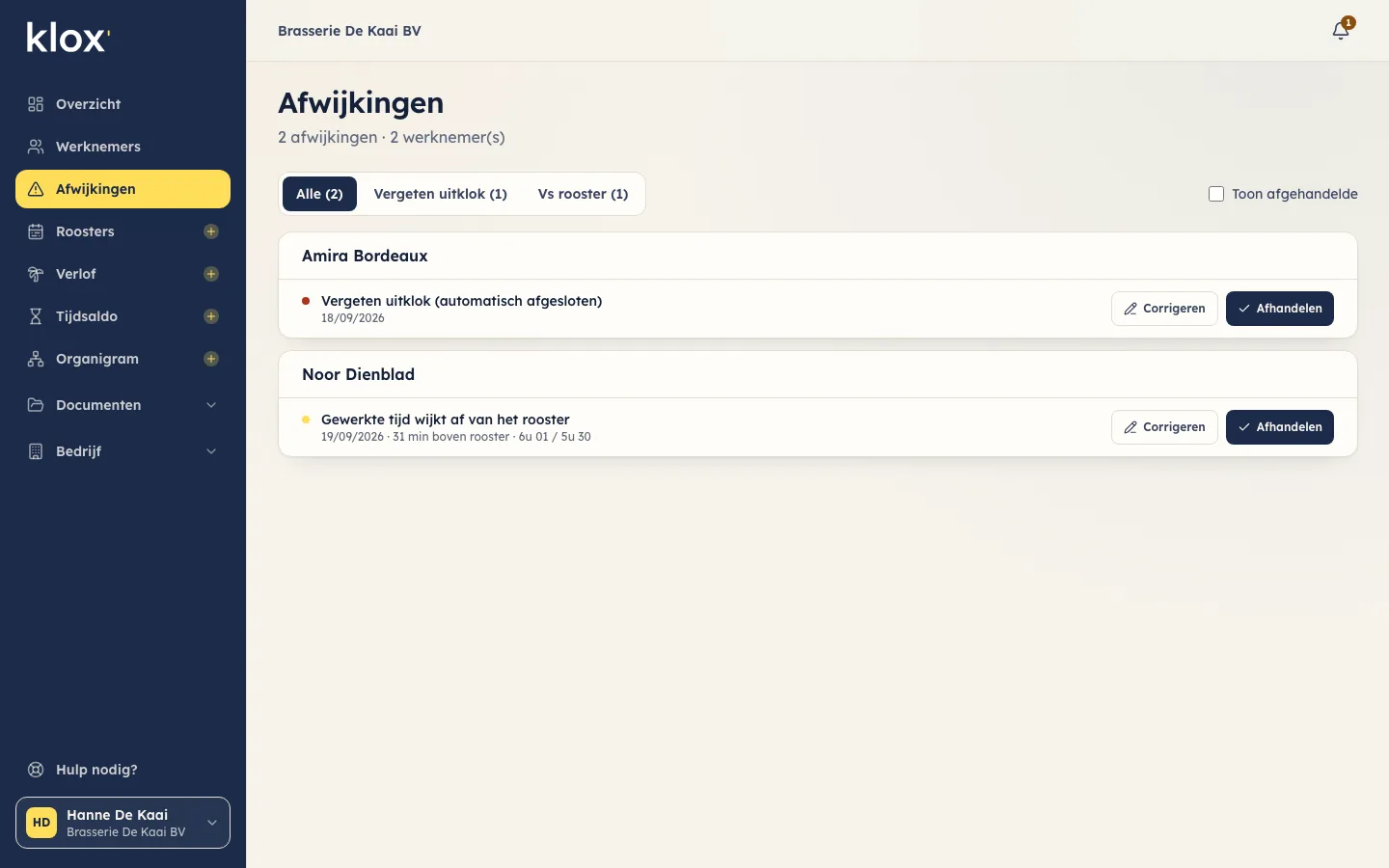
A forgotten clock-out appears automatically in the deviations overview; with a schedule (Compliance Plus), so do hours that differ from it. You record a correction with a reason; the original clock action stays visible.
What Klox costs per employee is on the pricing page. Still working with a spreadsheet today? Read time registration in Excel: does it work? first.
Frequently asked questions
- Is a time clock mandatory in Belgium?
- No. Today no Belgian rule generally requires a time clock, and the Court of Justice of the EU requires an objective, reliable and accessible system without prescribing a device. Clocking in on a phone or computer is therefore also possible.
- Time clock or app: which is cheaper?
- An app on a phone or computer needs no device and no installation, only a subscription. A time clock or badge terminal needs a device per entrance, badges and often software or maintenance. A fixed clock-in point pays off mainly if your people do not use a phone at work.
- How much does the Klox Kiosk cost?
- €699 per device plus €45 per month, or €69 per month on a 36-month lease, excl. VAT (price list of 10/10/2026). Ordered per device and ready to ship.
- Can I clock in without a network?
- Yes. The web app stores a clock action made without a connection on the device and sends it later, marked as offline. The Klox Kiosk also keeps clocking without a network.
Sources
- [1]Judgment of 14 May 2019, CCOO, C-55/18, Court of Justice of the European Union (EUR-Lex), accessed on 17/10/2026
- [2]Motion for a resolution on the registration of working time, DOC 56 1353/001 (in Dutch and French), Belgian Chamber of Representatives, accessed on 22/09/2026
- [3]Monitoring the work of part-time workers (in Dutch), FPS Employment, Labour and Social Dialogue, accessed on 10/10/2026
- [4]Flexi-jobs (in Dutch), National Social Security Office (RSZ/ONSS), accessed on 22/09/2026
- [5]Identification and monitoring of staff (in Dutch), Data Protection Authority (GBA/APD), accessed on 22/09/2026
- [6]Biometrics in the workplace (in Dutch), Data Protection Authority (GBA/APD), accessed on 22/09/2026
- [7]Work regulations (in Dutch), FPS Employment, Labour and Social Dialogue, accessed on 22/09/2026
Further reading
- Is time registration mandatory in 2027?What applies today, what has been announced and what is still open.
- Time registration in ExcelWhat a spreadsheet can and cannot do, compared with a registration system.
- Time registration in hospitality
- Time registration in retail
- Time registration and privacy
- PricingWhat Klox costs per employee per month.
- How much does time registration cost?Worked examples and the cost factors of a time clock, Excel and software.
- Check In and Out at Work in constructionThe separate RSZ/ONSS registration on building sites from 1/4/2027.
See how Klox handles this for your team?
Try it free for fourteen days with your own team, no payment details needed. Your account is ready in a few minutes.