How does my team clock in? Choosing a method
By default everyone clocks in with the web app. The owner turns on the app, QR and kiosk under Clock-in methods and can make exceptions.
Getting started · Updated on 01/11/2026
You choose under Settings, Time registration, Clock-in methods. Only the owner can change this. HR can read along.
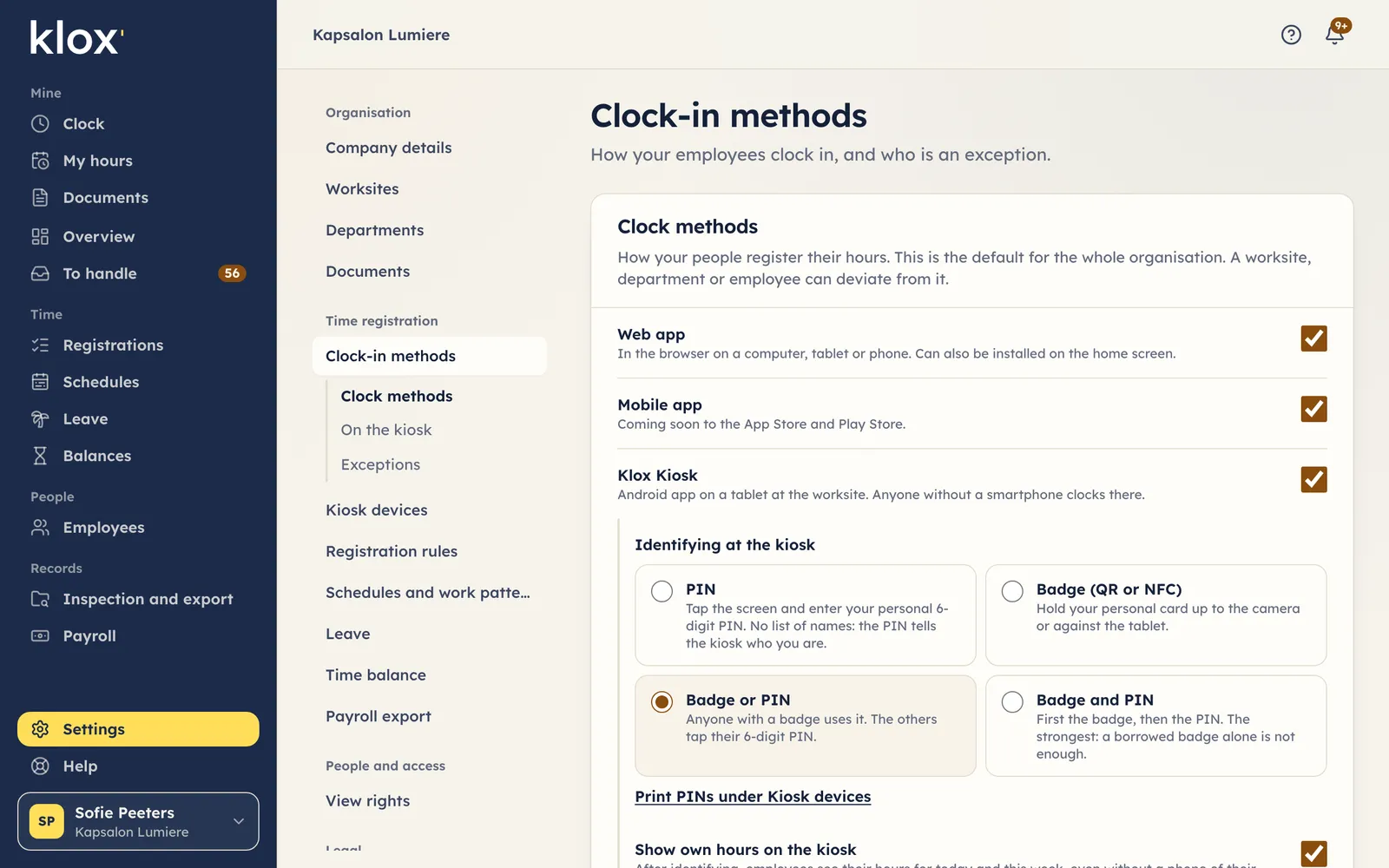
The methods
- Web app: clock in from the browser on a phone, tablet or computer. On by default. See Clock in on your phone or computer.
- Mobile app: clock in with the Klox app on iPhone or Android. Off by default. Until you turn it on, your employees see this message in the app: "Your employer has turned off clocking in through the app." See Install the Klox app.
- Klox Kiosk: a fixed device at the workplace, with a badge or PIN. Without a device you see Order a kiosk. A kiosk is paid per device, bought or leased. See Install the kiosk.
- QR at the worksite: employees scan a poster or a rotating code with their own phone. See Clock in with a QR poster.
Did you choose Own phone or computer in the Getting started card on the Overview? Then the web app and the mobile app are both on.
Keep at least one method on. Klox warns you if your change leaves someone with no way to clock in.
Which method suits me?
- Office, or everyone has a phone: the web app, the mobile app or both.
- You want to be sure someone was at the worksite: QR at the worksite, with Required for web and app on.
- Many people without a phone or account: the kiosk.
You can combine methods.
Making exceptions
For a worksite, department or employee, choose Inherit, On or Off per method.
The rule: employee goes before department, department before worksite, worksite before organisation.
Example: you turn off the web app for the Workshop worksite but keep it on at the office. The people in the workshop then clock in on the kiosk.
What does an employee see?
If the web app is off for someone, they see on Clock which methods are available. If nothing is on, Klox tells them to talk to you.
Was this article helpful?