Add a forgotten punch yourself
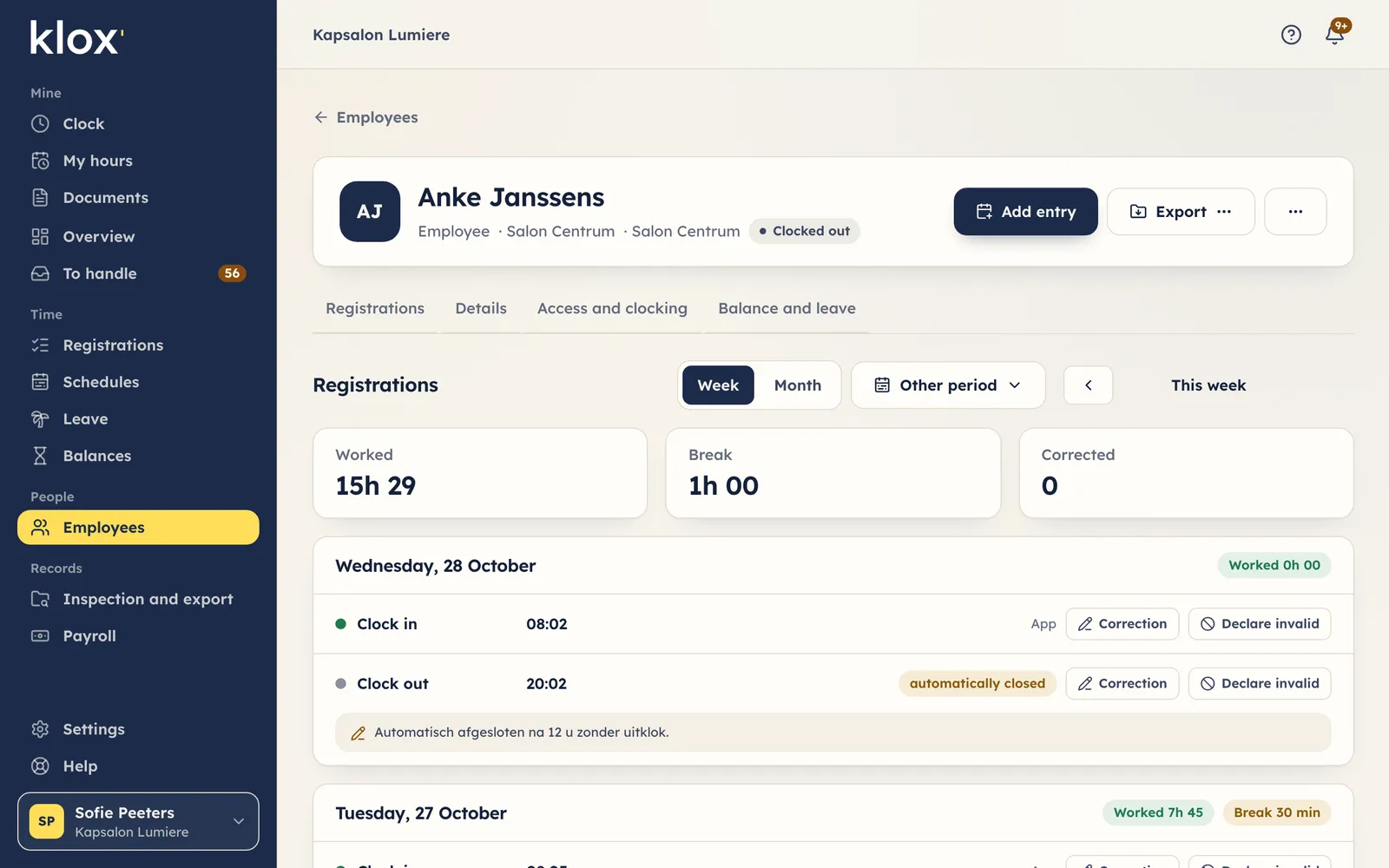
Open the employee and choose Add entry. Fill in date, time, type and reason. The punch shows in the register as Manual, with your name and the reason.
Registrations and corrections · Updated on 01/11/2026
If someone forgot to clock, you add the punch yourself. It goes into the register as Manual, so it is always clear that it did not come from a real clock event. Your name, the time and the reason are kept with it.
Add a punch
- Open the employee via Employees. Registrations works too: click the row.
- Click Add entry.
- Fill in Date and Time.
- Choose the type, e.g. clock in or clock out.
- Write why under Reason for this entry, for example: employee forgot to clock in.
- Click Add entry.
If a whole day is missing, add both the clock-in and the clock-out.
From To handle
Is the day already under To handle, as a request or deviation? Click Add punch there. Then handle the request or deviation.
Who can do this
The owner and managers, the latter for the people within their view rights and not for themselves. HR cannot add a punch.
Settings and limits
You find these under Registration rules:
- Allow manual entry is on by default. If it is off, nobody can add a punch.
- Manual entry allowed up to (days back) is 7 by default, with a maximum of 60.
Does Klox say the entry is too old? Then the day is further back than that limit. Raise the limit if it is an exception, or place a correction on an existing entry if there is one. A punch in the future is not possible.
Is it the clock-out that is missing?
If someone did not clock out, Klox closes the shift automatically after 12 hours by default. Do not add a second clock-out: confirm or correct that automatic clock-out instead. See Understand deviations.
Was this article helpful?