How do I create a schedule?
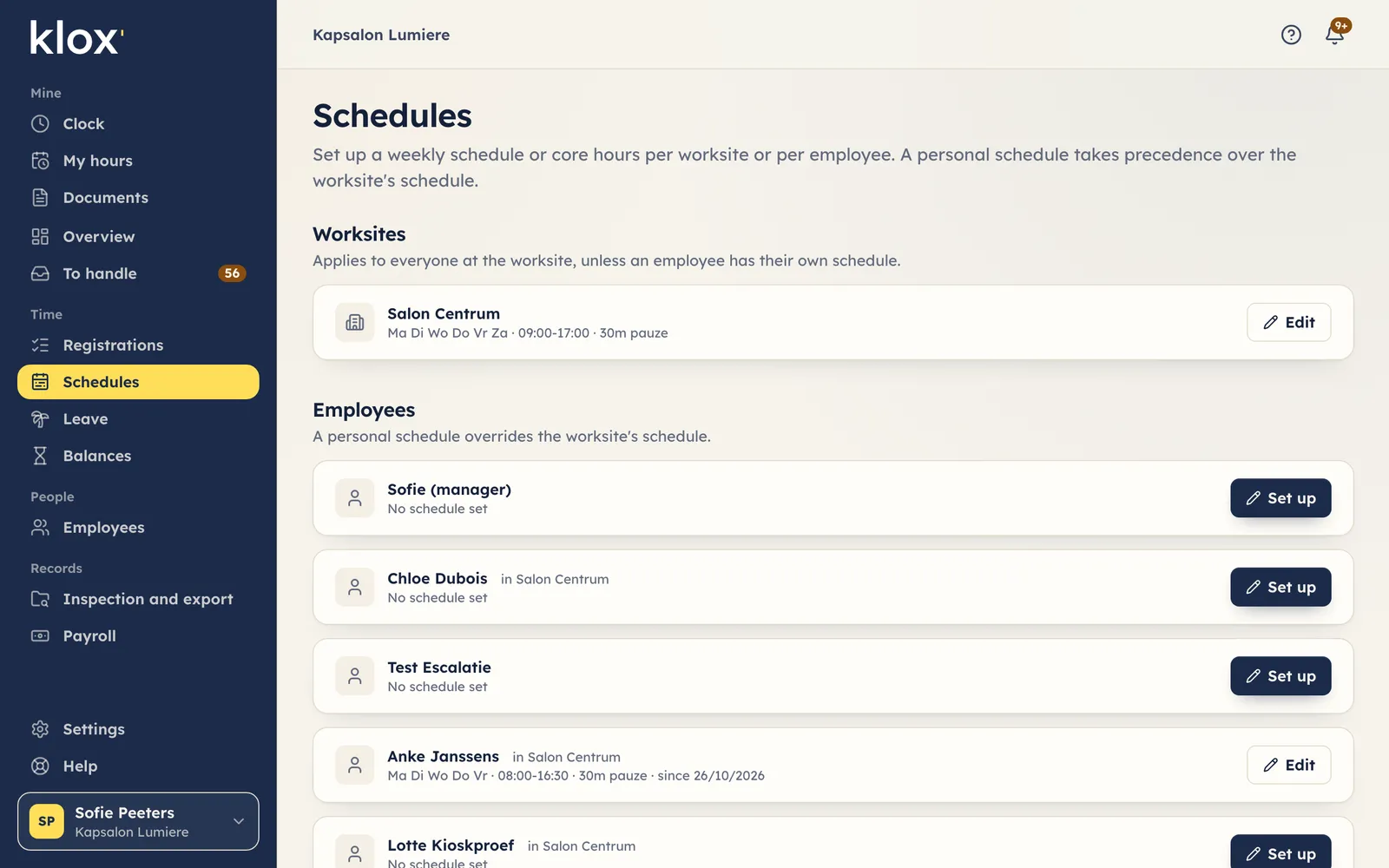
Open Schedules, choose a worksite or an employee and click Set up. Mark the working days and hours and choose when the schedule starts.
Leave and schedules · Updated on 01/11/2026
This feature is part of Compliance Plus.
A schedule tells Klox how many hours to expect per day. Your balance, deviations and overtime all depend on it.
You set up a schedule for a whole worksite or for one employee. A personal schedule takes priority over the worksite schedule.
Setting up a schedule
- Open Schedules in the menu.
- Choose a worksite under Worksites, or a person under Employees.
- Click Set up. If a schedule already exists, click Edit.
- Mark the Working days.
- Choose Fixed schedule and fill in Start, End and Break (min). Or choose Core hours and enter the duration per day and the break.
- Under Valid from, choose the first day of this schedule.
- Click Save.
Fixed schedule or core hours?
- Fixed schedule: everyone starts and stops at a fixed time, for example from 08:30 to 17:00.
- Core hours: only a duration per day, for example 7 h 36. The employee chooses when to work.
Good to know
- One schedule, one set of hours. Every working day in a schedule has the same hours. Klox does not do weekly planning or shifts per day. For changing shifts, choose core hours.
- Night shifts. A fixed schedule cannot run past midnight. You then get Set a duration greater than zero. Choose core hours.
- The past stays as it is. A new schedule does not change earlier days. If there was no schedule yet, choose an earlier date under Valid from, otherwise Klox expects no hours for those days.
- Stopping. With Remove, a schedule ends from today.
- Public holidays. Klox expects no hours on those days. See setting up public holidays.
What does the employee see?
They see their schedule under My roster, on a computer and in the app, and cannot change it there. If you change a personal schedule, they get a notification and an email. They do not when you change the worksite schedule, so tell your team yourself.
Who can do this?
The owner and HR. A manager sets up personal schedules for their own team. Only people who can see all employees manage worksite schedules. Only the owner can set their own schedule.
Was this article helpful?