I forgot to clock out
Request a correction with your real end time via My hours. Klox closes the shift after 12 hours by default, but that time only counts after a correction.
Clocking in · Updated on 01/11/2026
It happens. Klox never changes your real end time by itself: you report it with a correction.
What does Klox do?
By default, automatic clock-out is on, after 12 hours. If you clocked in at 8:00, Klox adds an automatic clock-out at 20:00.
- You get a notification and an email: you were automatically clocked out.
- The day gets the label Clock-out not confirmed.
- That shift does not count as worked time until it is corrected.
As an employee: fix your time
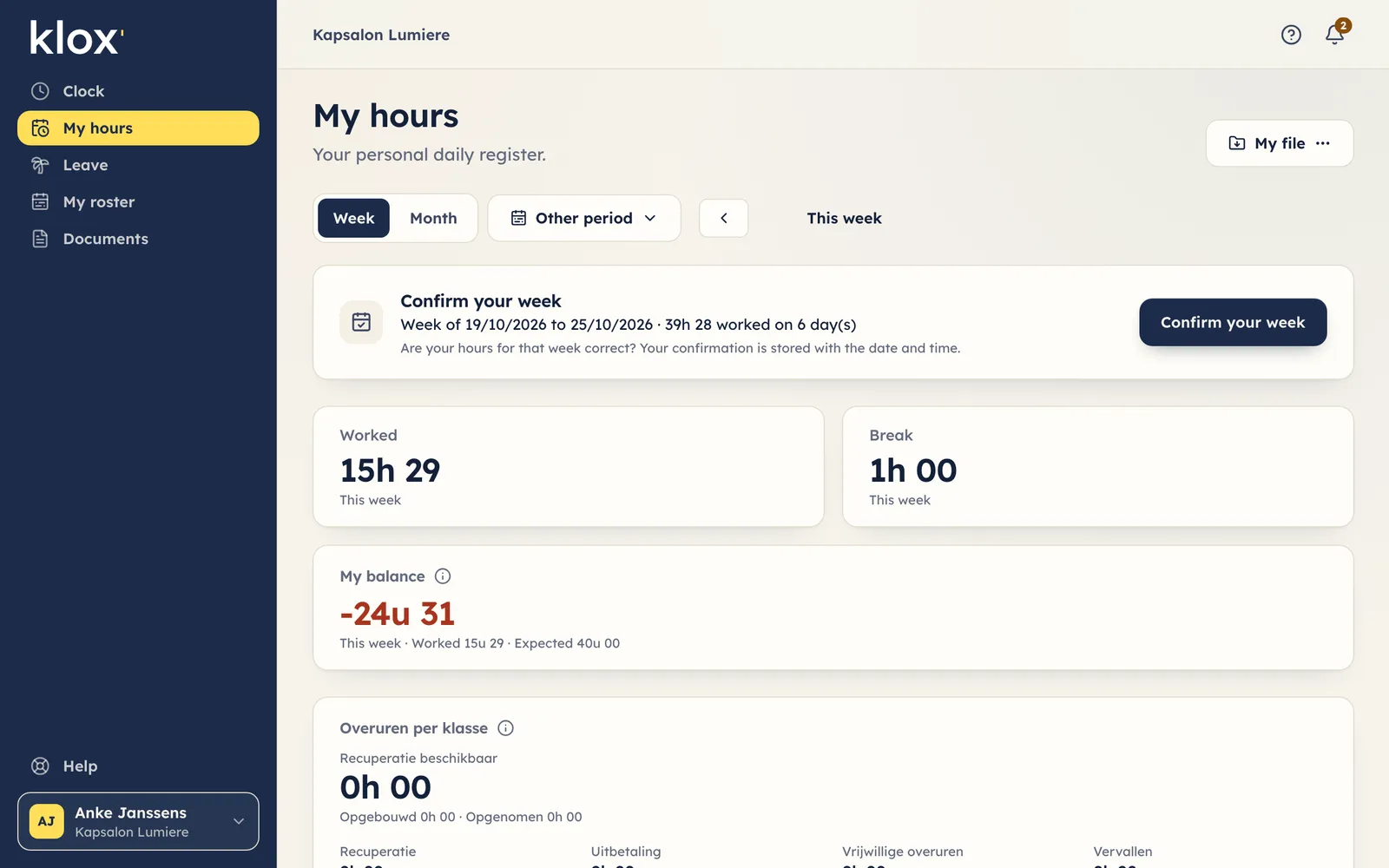
- Open My hours.
- Click Request correction next to the registration.
- Under What's incorrect?, describe when you really stopped, for example: I worked until 17:00, not until 20:00.
- Click Submit request.
Your admin reviews your request. See Request a correction.
Forgot to clock in, or a whole day
No registration to click on? On My hours, click the Request a correction button, pick the day and describe what is missing. A manager will add the registration.
As an admin: handle the shift
The day appears as the deviation Forgotten clock-out (automatically closed).
- Open To handle.
- Add a correction with the right end time and a reason. See Handle a correction.
Is the automatic time right after all? Confirm it with a correction at the same time, with a reason saying it is correct. From then on the shift counts.
Did someone not clock at all and is more missing? See Add a registration.
Settings
You set this under Registration rules:
- Automatic clock-out: on by default.
- After how many hours: 12 by default, from 1 to 24 hours.
- Alert for an open shift (hours): 16 by default. The owner and manager get a signal if a shift stays open that long without being closed automatically. This is mainly useful if automatic clock-out is off. 0 turns the alert off.
Was this article helpful?