An inspector is coming: what do I do in Klox?
Open Inspection and export, choose the employees and period requested and download the file. An inspector gets no login: you hand over the files.
Inspection and records · Updated on 01/11/2026
This article explains what you do in practice in Klox. It is not legal advice. You will find more background in our explanation of the inspection file.
What you do
- Ask which employees and which period the inspector wants to see.
- On a computer, open Inspection and export, Records tab.
- Choose One employee or All employees and fill in the Period.
- Click Export PDF or Download ZIP.
- Hand the files to the inspector, the way they ask.
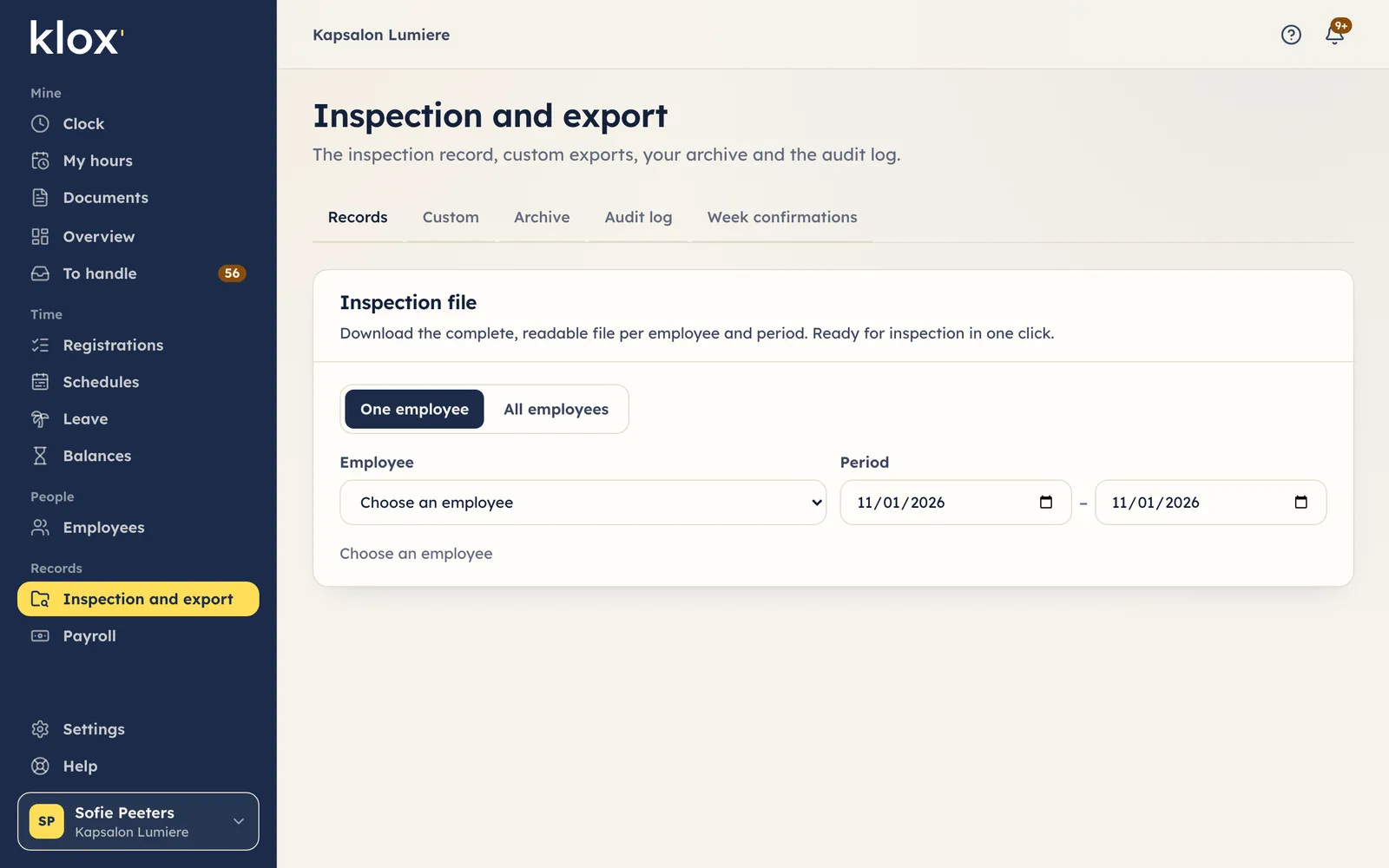
Also read how to download the inspection file.
Who can do it?
The owner, HR and managers. A manager only sees their own team. So make sure someone with access to all employees can always be reached.
What does the inspector get?
An inspector does not get their own Klox login. They get the files you download.
- The PDF shows the registrations per day, with every correction, the author, the time and the reason.
- At the bottom is a verification code, which they can check at klox.be/en/verify.
- Do they ask who changed something? The audit log shows that. The owner and HR export it from the Archive tab, with Export audit log.
Is something not right?
- A registration is wrong: do not change anything quietly. A correction stays visible with its reason and author, and the original registration is kept.
- Your access is blocked: you can still download the file.
- Someone has left: their data is still in the ZIP of all employees.
- You cannot sign in: use forgot password.
In advance
Make a file for a short period once, so you know what is in it. Also clear To handle regularly, so your records are always up to date.
Was this article helpful?